
.png)




The archiving functionality on our Enterprise Server Edition backup client can be used to free up disk space locally by tiering data to the CyberSentriq cloud. Read more about archiving in Article 1498.
When making use of archiving in ESE, follow the guidelines below for optimal functionality.
Files to be archived must be included in the backup selection.
- When selecting files to be archived, do not exceed 8 million files (across all mount points). The backed-up file count can exceed this.
- The total Data Protected* for all accounts that have archiving enabled should not exceed 10TB, including data that is selected for backup but not archived.
*Data Protected refers to the amount of protected data before compression, patching, and account-level deduplication, i.e. the sum of the uncompressed sizes of all files.
Ensure your configuration is supported.
- Archiving is supported on all currently supported Windows 64-bit operating systems. See our System requirements and compatibility matrix for a list of what we support.
- Local files on NTFS are supported for archiving, but it is not possible to archive files on network storage.
- Windows supports reparse points on NTFS, which can make files and folders appear in more than one location at the same time. These reparse points are found within Windows system files in some cases, but can also be created by users.
- Reparse points on NTFS are supported for archiving, but be aware that those created by users may cause unexpected behaviour.
- Under some circumstances, they can result in data being included in the backup selection more than once.
- It is not recommended to use junction reparse points with the target on a different volume if you are using archiving.
For example, a junction point exists from C:\MyData\MyUniqueFiles to E:\MyUniqueFiles: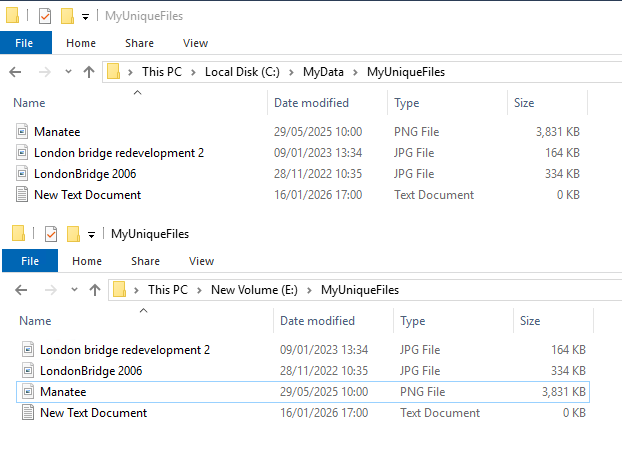 In the ESE client, this folder will be displayed and available as a valid backup selection – and valid archiving selection – in both locations.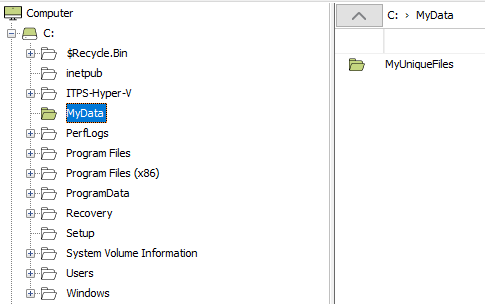
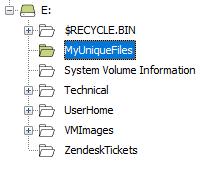
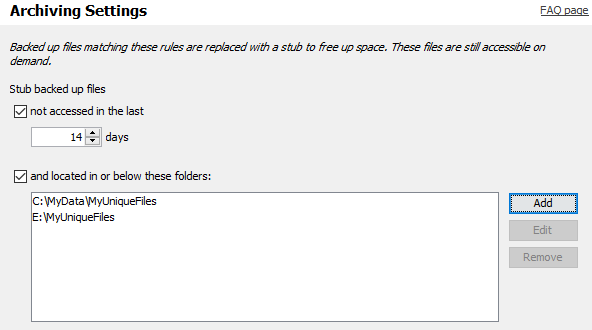
While the directories can be selected for backup in both locations, it is not recommended to include the reparse junction directories for archiving as this can result in unexpected file rehydration under some circumstances, which can impact free disk space.
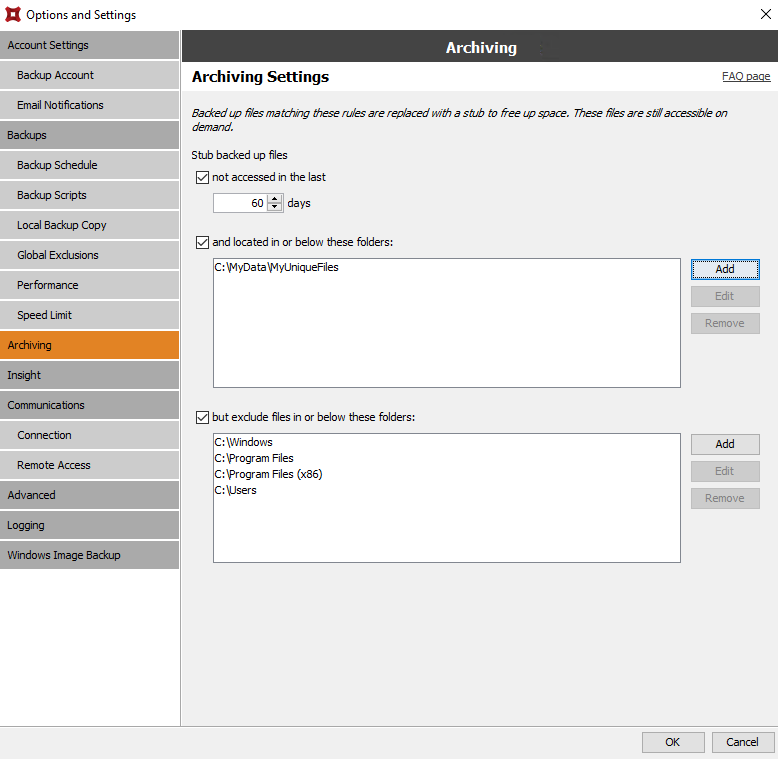
If the user does need archiving, they should select the files for backup and archiving in one location only, for example: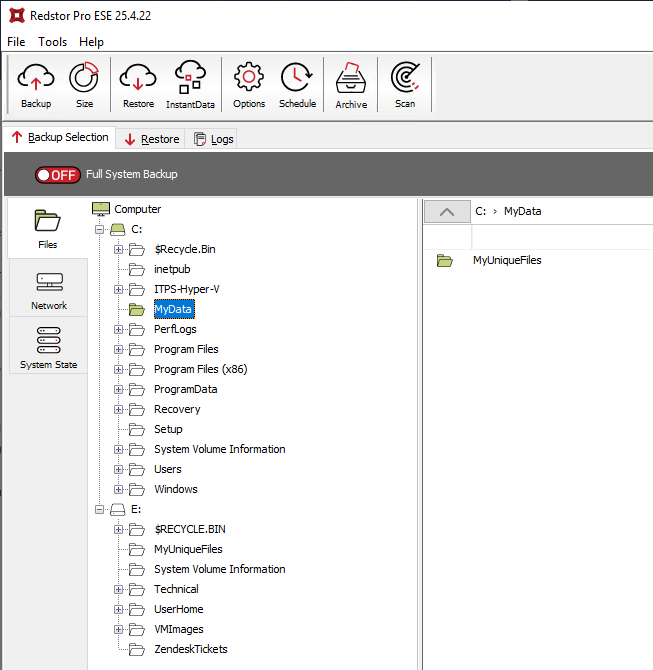
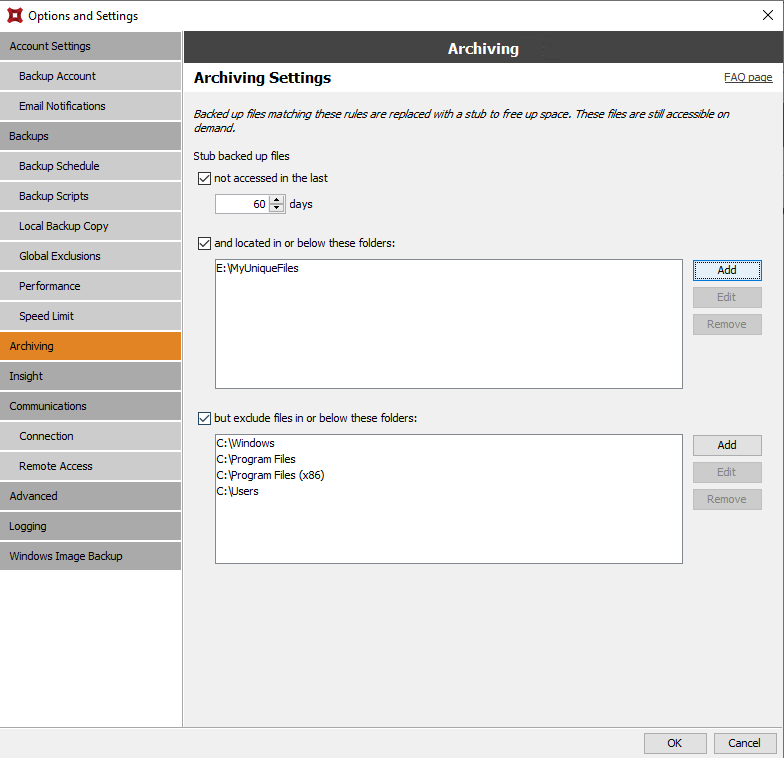
Or, alternatively: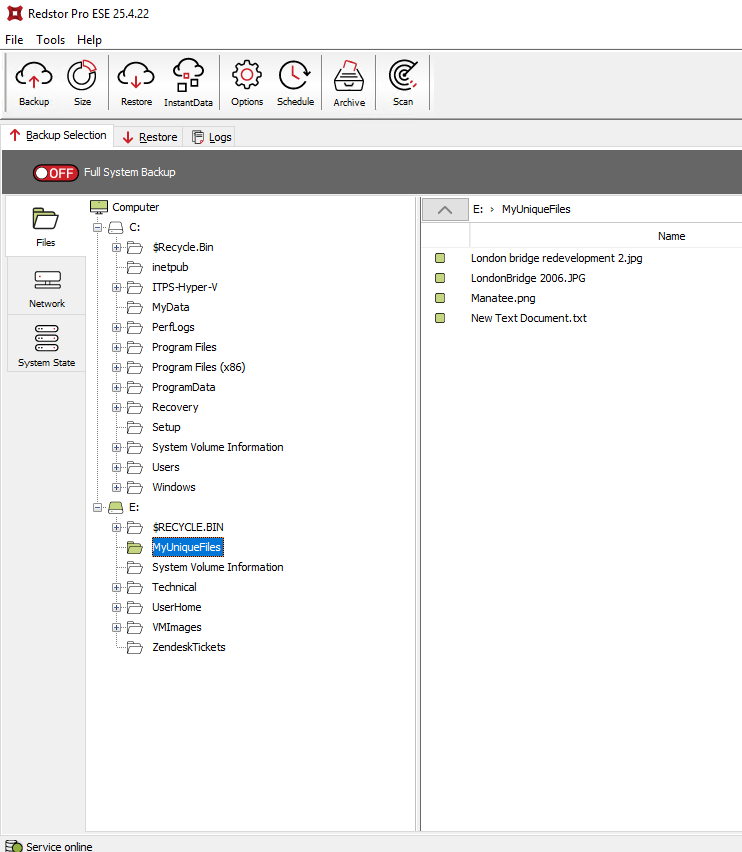
 1.png)