
.png)




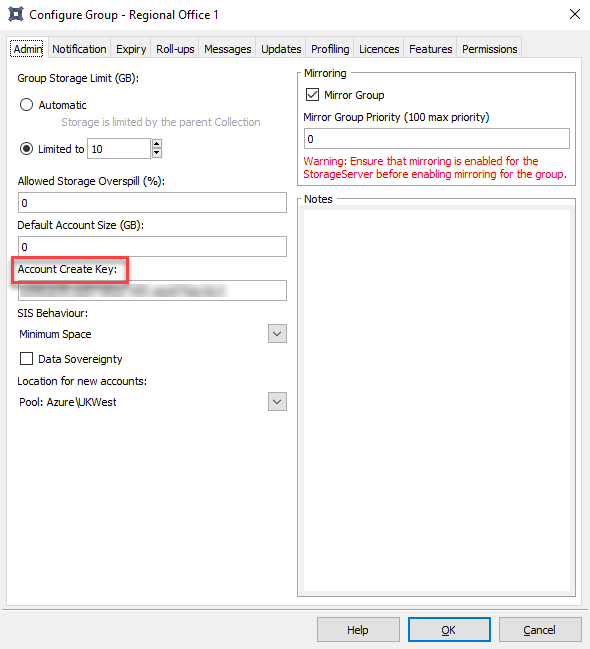
As part of creating a new backup account that was not deployed directly from the RedApp or the Storage Platform Console, you will need to enter the account create key for the group that houses the account. The account create key can currently only be obtained through the Console (not from the RedApp). If you do not have the Console installed, download it from our Latest downloads page and follow the installation steps in Article 102.
To obtain a group's account create key from within the Console, right-click the relevant group name and go to Configure. The key will be displayed in the window that opens.
 1.png)