
.png)




On our Storage Platform, backed-up data is organised into accounts (the smallest units, e.g. a single machine), groups and collections. Multiple accounts form a group (known as a folder in the RedApp), and multiple groups form a collection. Each account, group and collection has a globally unique identifier (GUID).
When reconnecting to a backup account, you will need to specify the backup group (folder) where the account is housed. The group GUID can be obtained from the RedApp or from the Storage Platform Console, using the steps below.
To obtain a group's GUID from the RedApp:
1. Go to the home page for the group (folder) and expand the menu at the top right.
2. Click on Copy GUID to clipboard.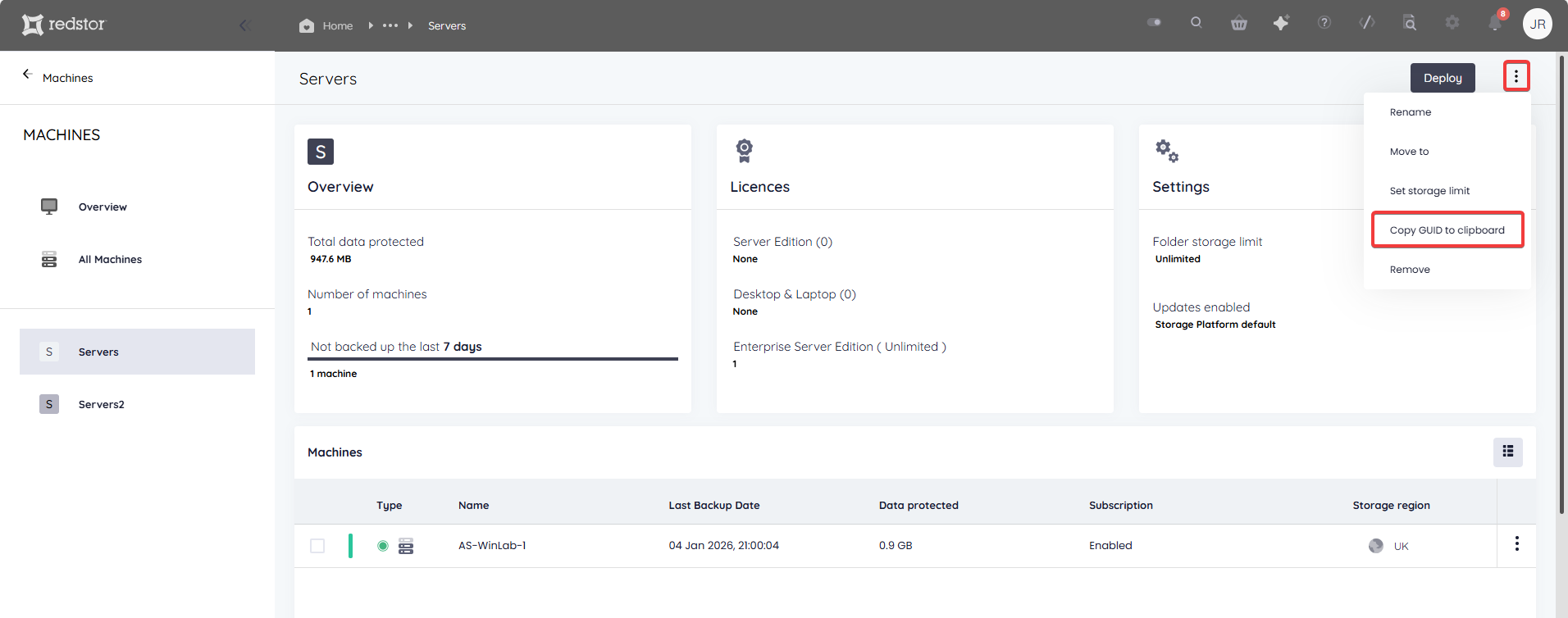
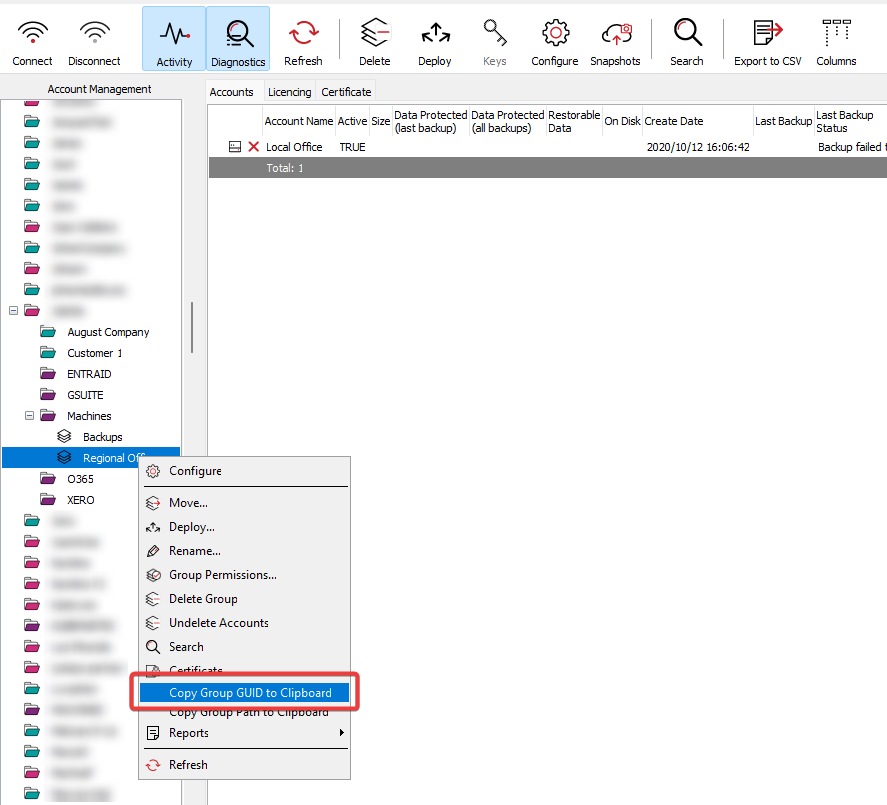
To obtain a group's GUID from the Storage Platform Console:
1. Open the Console in the Account Management view and locate the relevant group in the tree structure on the left.
2. Right-click the group name and click on Copy Group GUID to Clipboard.
 1.png)